
Today’s Package: Instagram Coordinated Lookbook
Instagram sellers need more than product shots —
they need coordinated outfit photos that look like real lifestyle moments.
That’s where LaonGEN’s combination generation feature comes in.
The concept: Upload two flat-lay product photos of items that coordinate together.
LaonGEN generates multiple on-model scenes showing those exact items styled as a complete outfit — no prompts, no manual styling instructions needed.
This package shows what happens when you upload a white shirt and a black dot camisole as a combination. (Not sure if AI generation is right for your workflow? See Lookbook Photoshoot vs AI Generation: When to Choose What.)
What You Need
For this Instagram coordinated lookbook package, you need:
| Input Type | Role | Count |
|---|---|---|
| Flat-lay product shot | Top garment (white shirt) | 1 |
| Flat-lay product shot | Inner garment (black dot camisole) | 1 |
That’s it — just two product photos. The AI handles the rest.
Results Gallery
LaonGEN generated four different scenes from the same two-item combination.
Each scene works for Instagram content, showing the outfit in real-life settings.
Scene 1: Outdoor Park Path
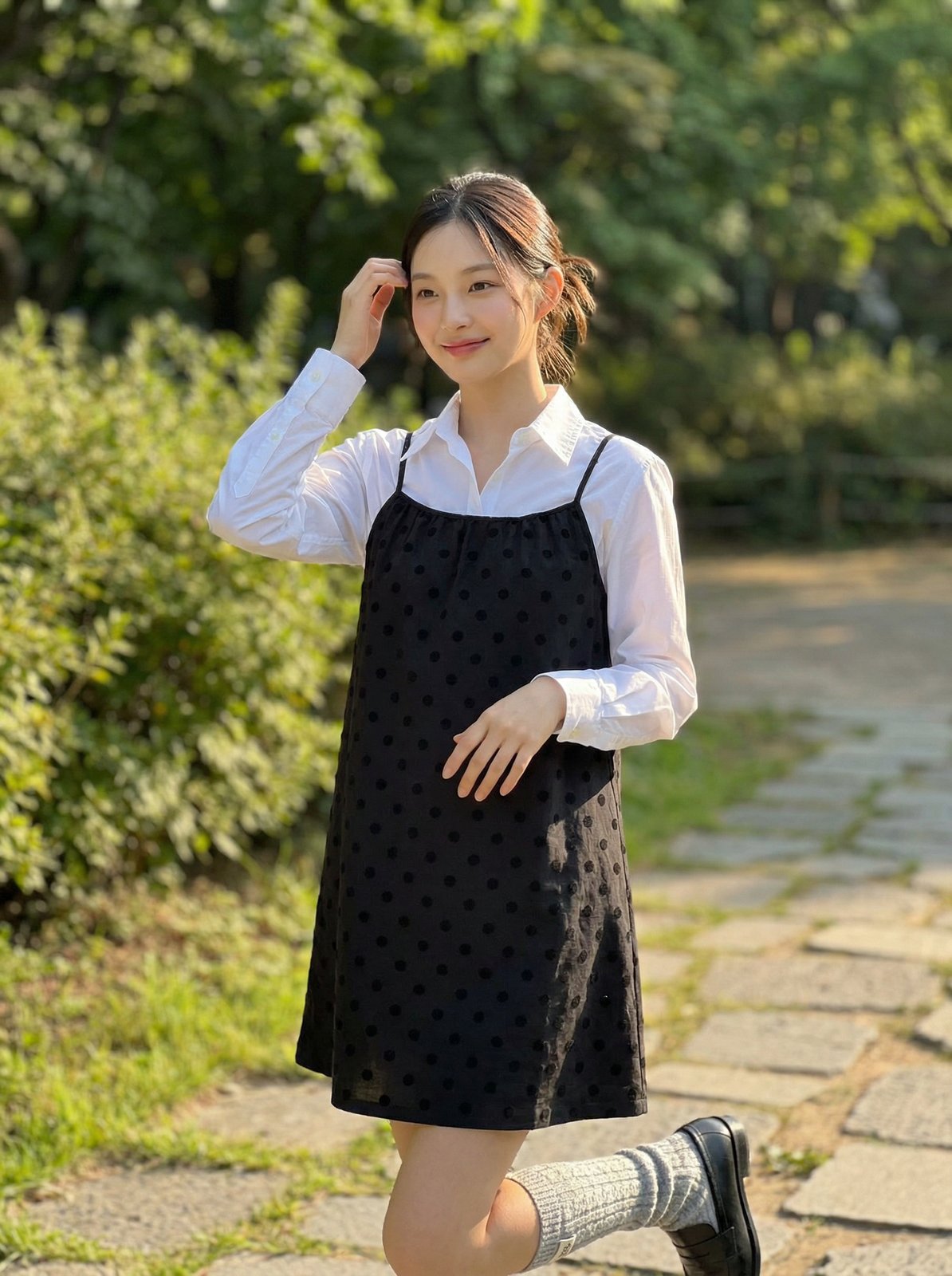
The model poses on a stone path in a park setting.
Natural outdoor lighting, greenery in the background.
The white shirt and black dot camisole combination is clearly visible and styled casually.
This scene works well for lifestyle-focused Instagram feeds or outdoor casual apparel brands.
Scene 2: Cafe Interior
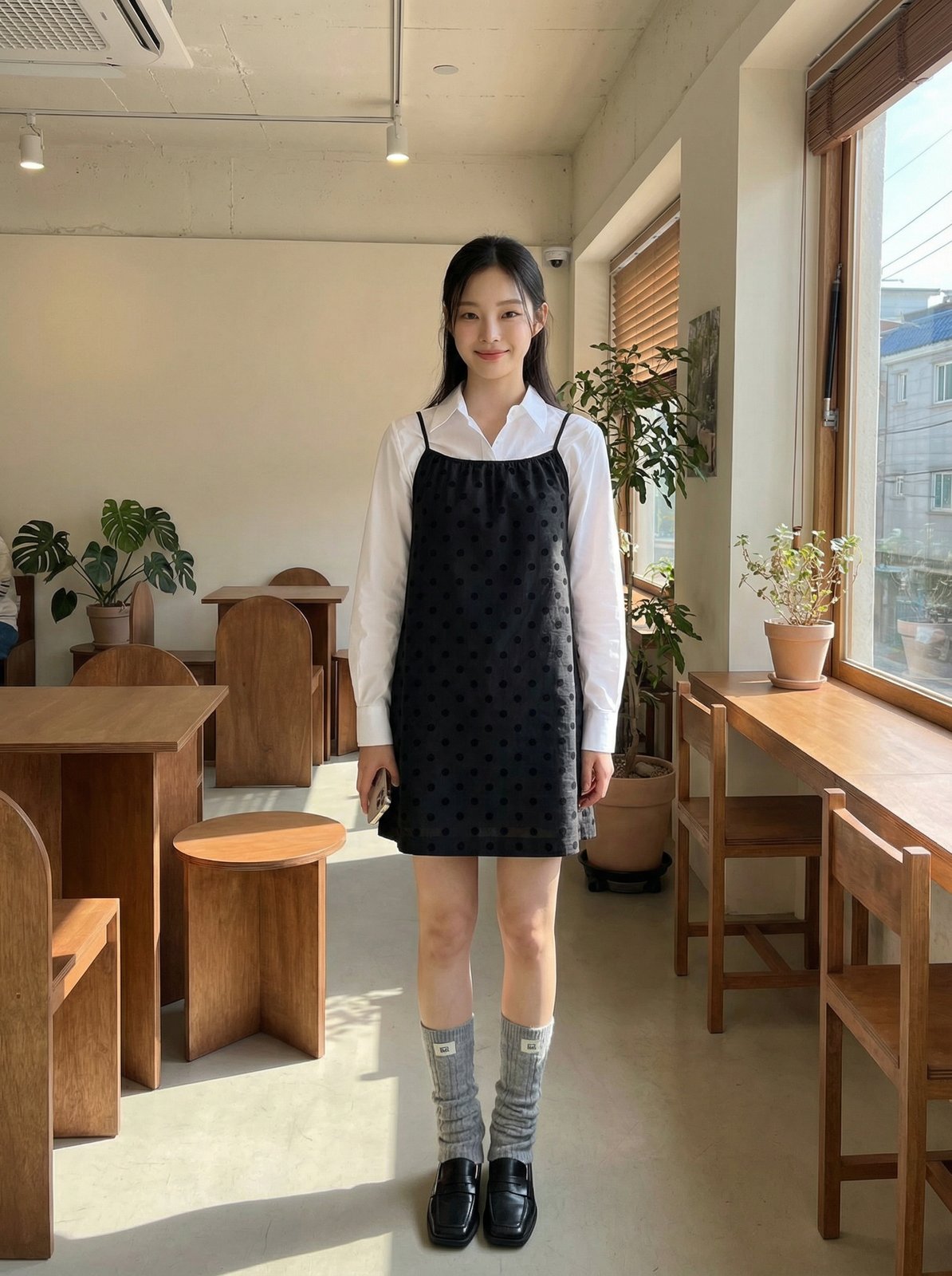
The model stands among wooden furniture in a cafe interior.
Warm indoor lighting with natural tones.
The outfit maintains the same coordination but in a different context —
indoor casual rather than outdoor.
Useful for brands targeting cafe culture or weekday casual looks.
Scene 3: Cafe Window Seat
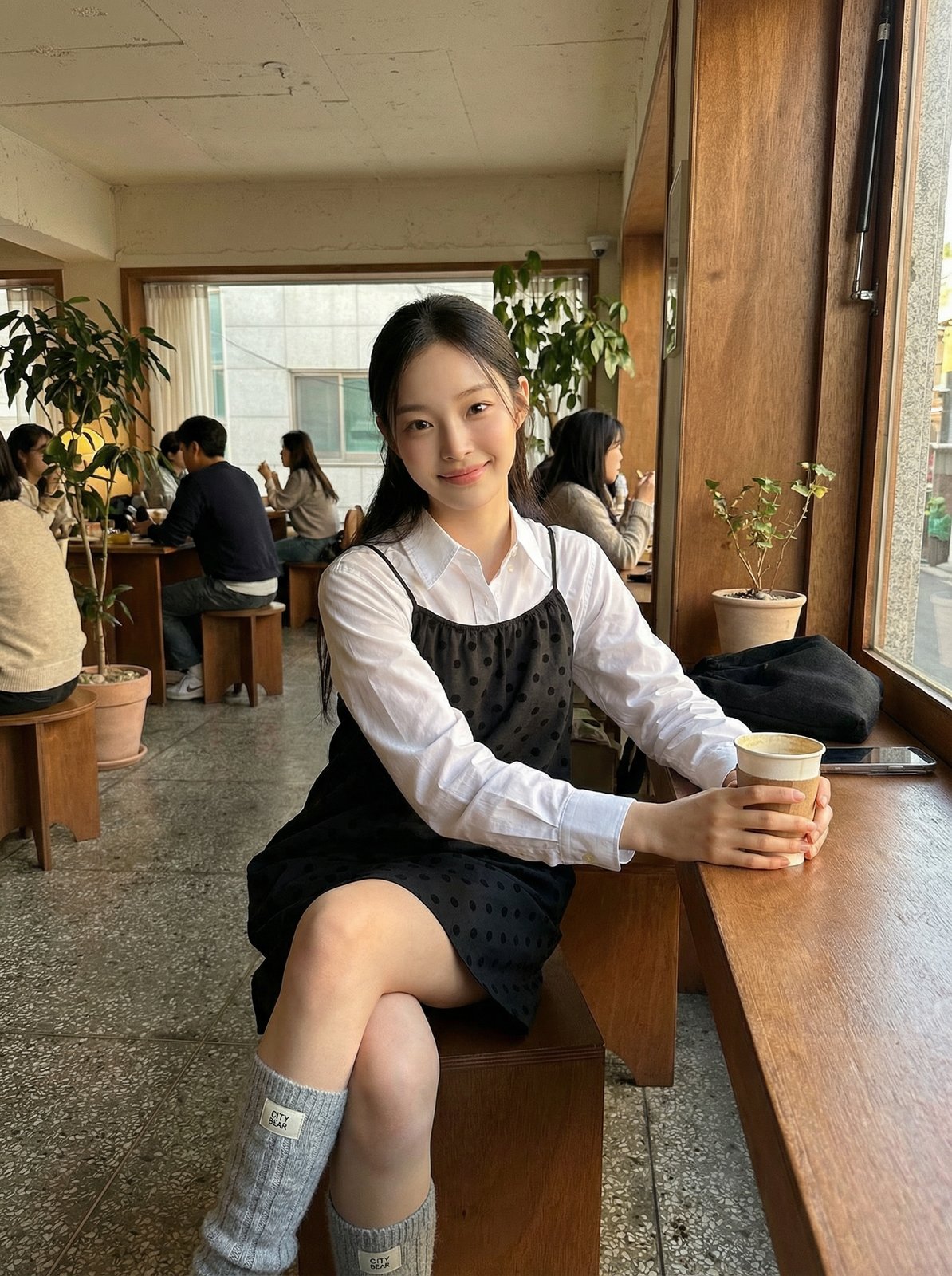
The model sits by a cafe window holding a cup.
Warm color tone, soft lighting from the window.
The coordinated outfit is shown in a relaxed, candid moment.
This scene fits well with cozy lifestyle content or morning routine themes.
Scene 4: Park Walking Scene
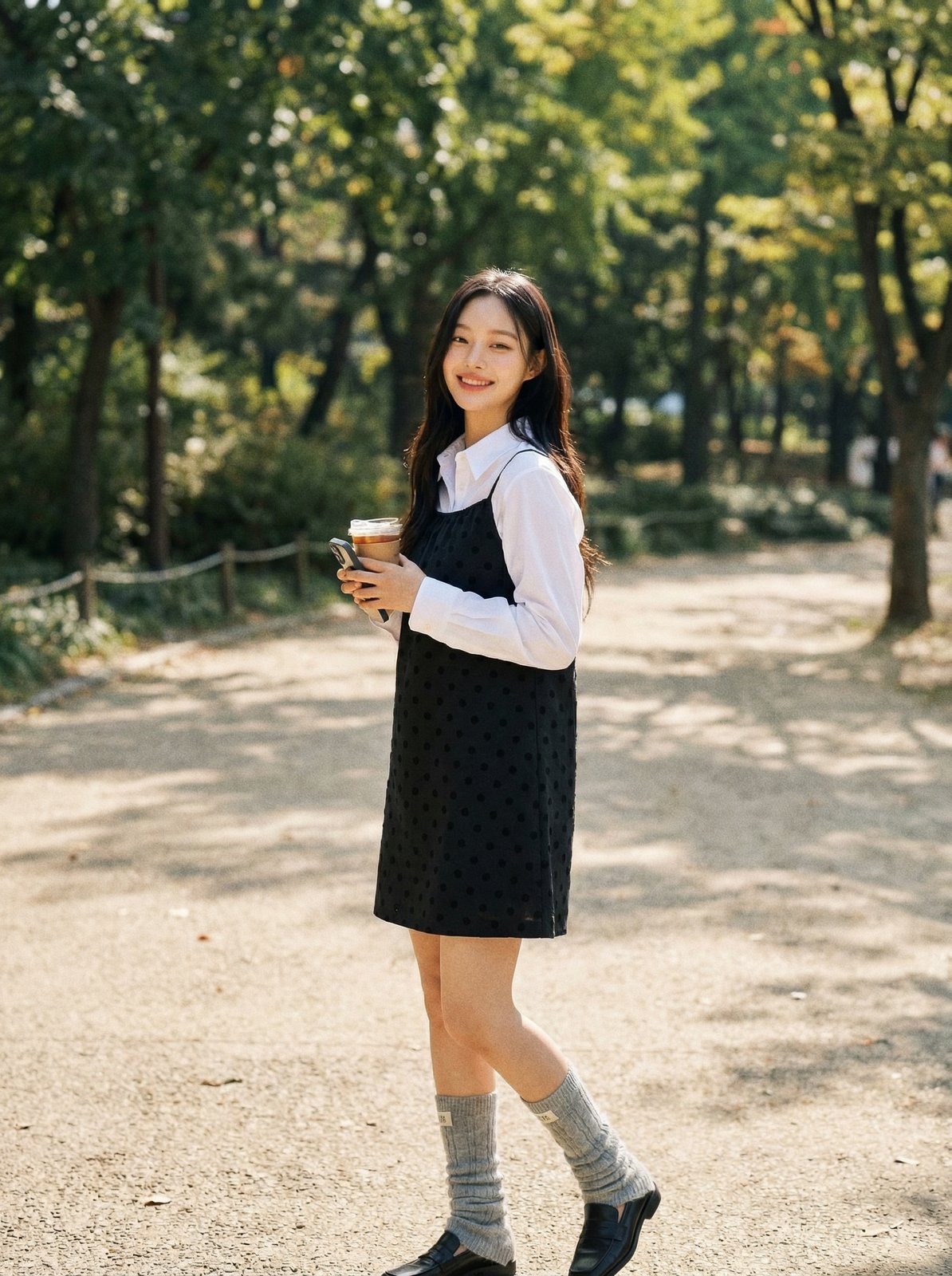
The model walks through a park holding a cup.
Outdoor setting with natural light, casual walking pose.
The outfit is shown in motion rather than posed,
which adds variety to the content set.
Works for active lifestyle or outdoor casual positioning.
Real Instagram Example
Here’s proof that these AI-generated images work as actual Instagram content:
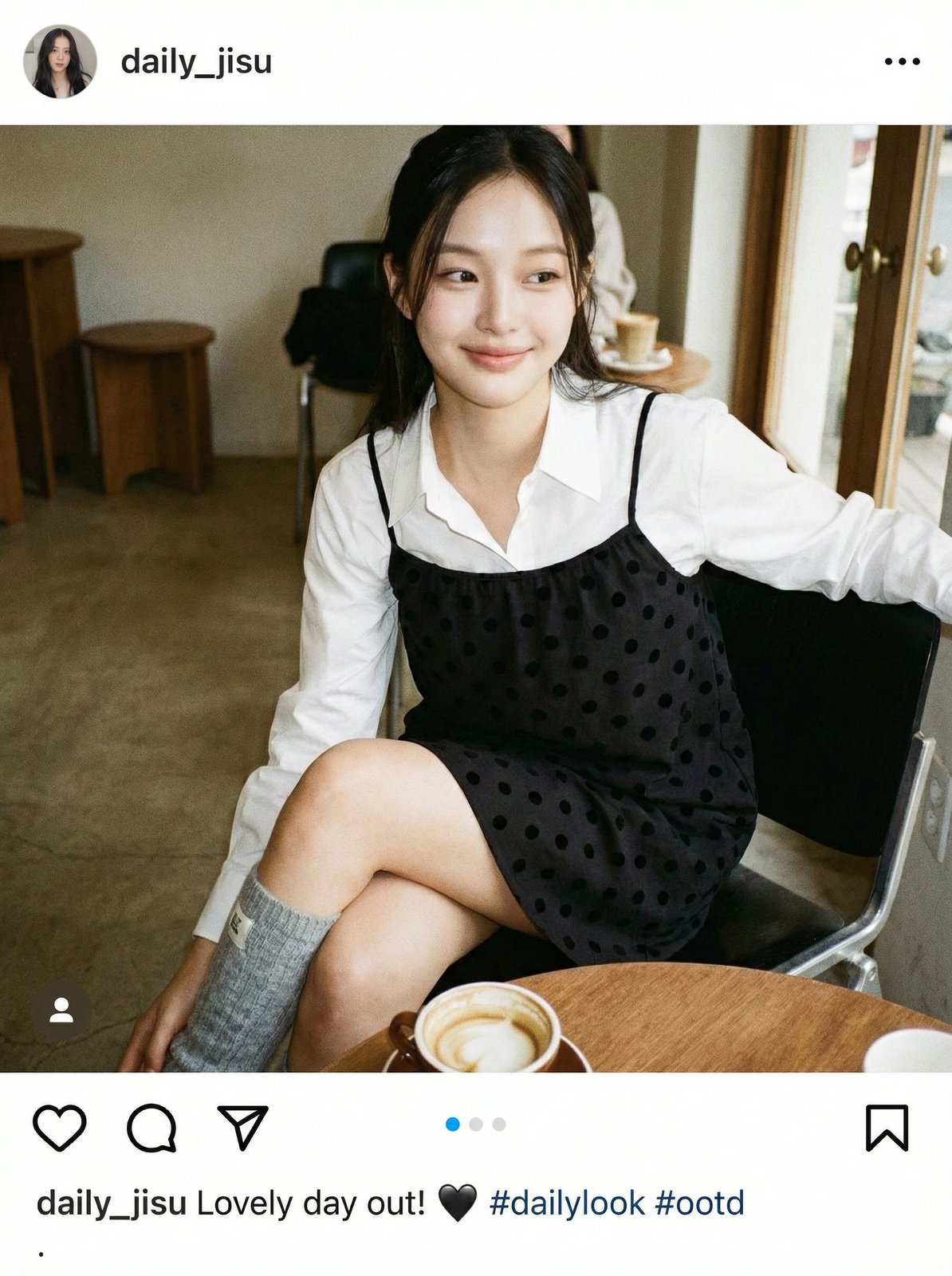
This screenshot shows one of the generated images posted to @na.yunee_, where it appears as a natural lifestyle photo.
Followers engage with it like any other fashion content —
because the generation quality is high enough to pass as real photography.
The account demonstrates how these outputs can be used directly in social media feeds without additional editing.
Generation Workflow
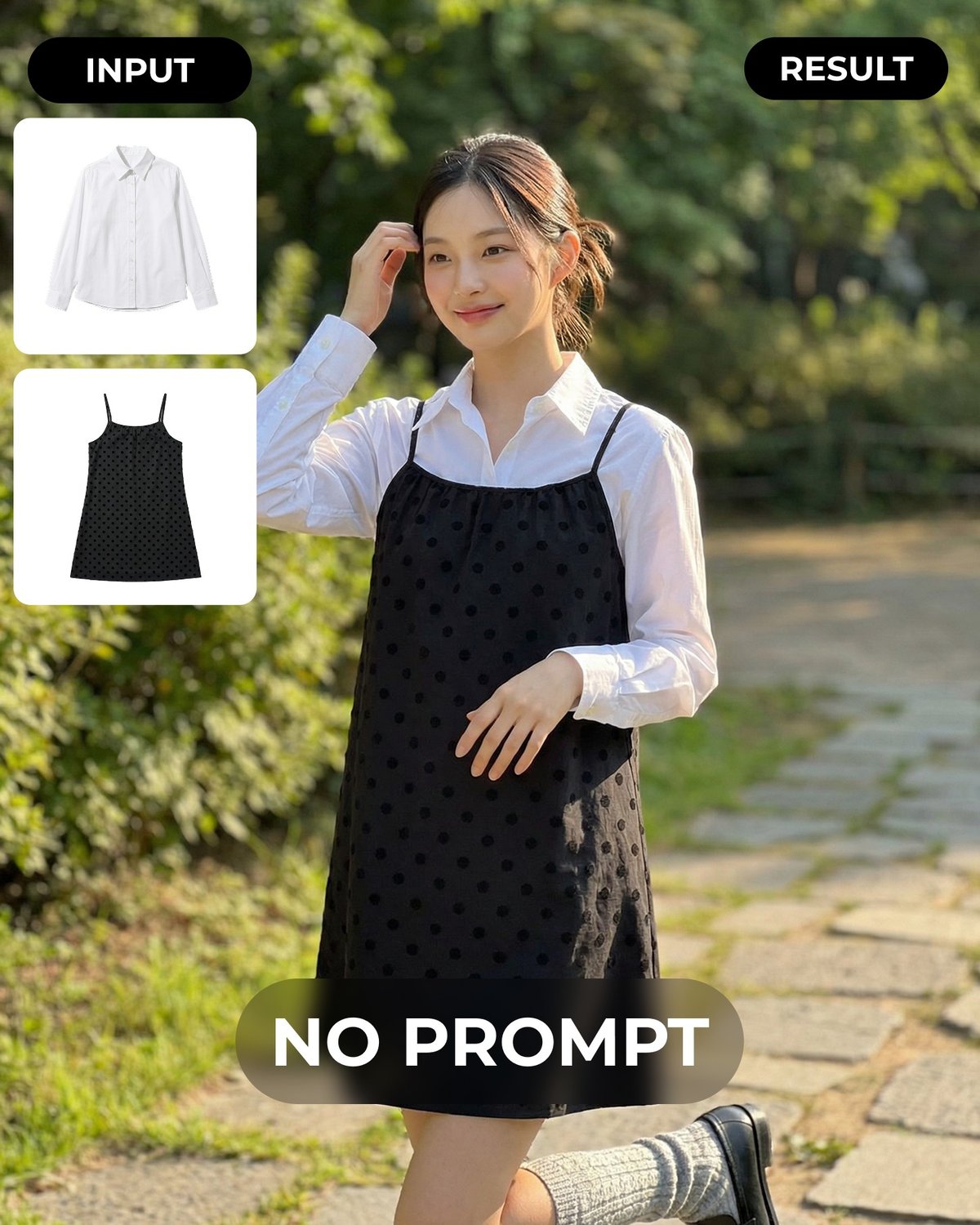
To replicate this package yourself:
-
Prepare your inputs
- Take flat-lay product shots of two items that coordinate together
- Use clean white or neutral backgrounds
- Ensure both garments are clearly visible in their individual photos
-
Upload and set combination mode
- Go to LaonGEN’s lookbook creation page
- Upload both images
- Select “Combination Generation” (조합 생성)
- No prompt or description needed
-
Generate multiple scenes
- Set the number of variations you want (4 in this example)
- The system automatically generates different scenes with the same outfit coordination
- Each scene will have different settings, poses, and lighting
-
Review and download
- Check that both items appear correctly styled together
- Verify the scenes match your brand aesthetic
- Download the ones that fit your Instagram content plan
QC Checklist
Before using the images, verify:
- Both garments are visible and clearly recognizable in each scene
- The coordination looks natural (items don’t clash or misalign)
- Lighting and color tone match your brand’s Instagram aesthetic
- Model pose and expression fit the intended vibe (casual, active, cozy, etc.)
- Background setting is appropriate for your target audience
- No visible artifacts or generation errors (check edges, proportions, details)
Try It Free
Want to test this yourself?
Sign up for free (100 credits included) and verify:
- Combination works for your products — Upload two items from your inventory and see if they coordinate well in the AI output
- Scenes fit your brand — Check whether the generated settings (park, cafe, etc.) align with your Instagram aesthetic
- Quality is Instagram-ready — Confirm the output resolution and detail level are good enough to post directly
Start with one combination test before committing to a full content batch.