
Using Edit just to remove one annoying prop? That’s selling it short.
Used well, one shot can become many variations.
Here are the use cases you’ll reach for most.
Each comes with an example instruction — go ahead and try them.
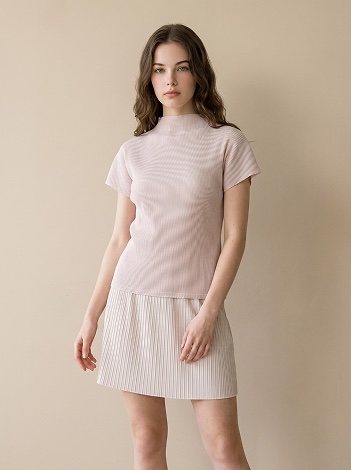
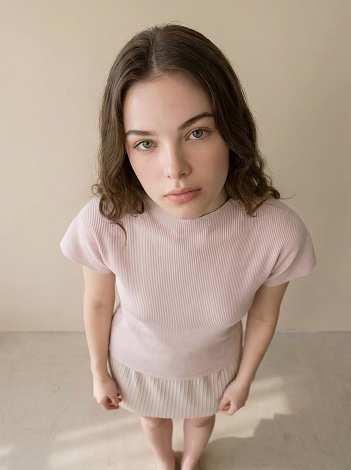
Use case 1. Change the angle (front → high angle)
The same shot feels completely different with a new angle.
Turn a straight-on shot into a stylish high-angle one.
“Change to an extreme high-angle composition”
Use case 2. Change just the bottoms
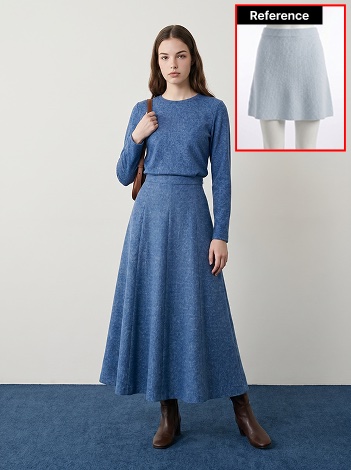
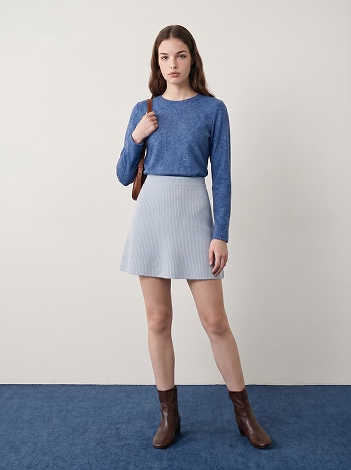
Sometimes the top and the mood are exactly right, but the bottoms aren’t.
Swap just the bottoms for a different fit or fabric to build a new outfit.
“Change the bottoms to the mini skirt in the reference image”
Use case 3. Swap a prop
Keep the whole look, change only a prop — a hat, bag, or sunglasses.
Mark the prop’s area and describe the style you want.
“Swap in the bag from the reference image (it’s about 15 inches)“
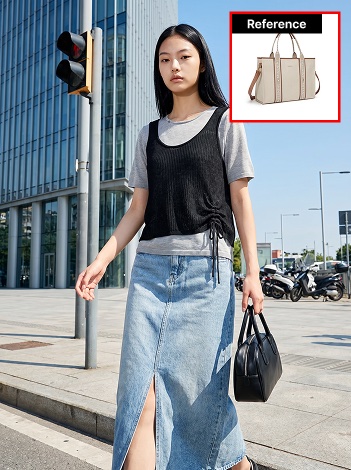
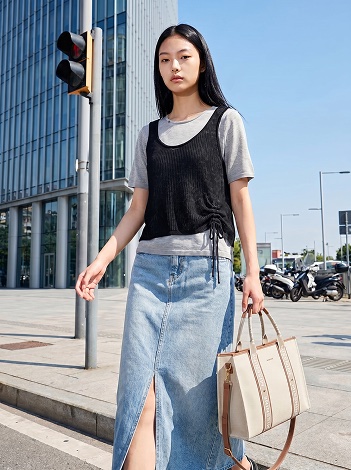
Use case 4. Change the pose
Other times the face and the look are great but the pose falls flat.
Keep the same model and outfit, and change only the pose.
And it’s not just for human models — pet-wear product cuts pose the same way.
“Change to a deep stretch pose — arms reaching forward, chest lowered close to the ground”
Use case 5. Change the hair color
Keep the look, change only the hair color to shift the mood.
Just describe the tone you want and only the hair color changes, naturally.
“Change the hair to bleached blonde”
A few small tips for better results
Mark an area for local edits, skip it for full changes. For swapping a prop or the bottoms, mark the area. For pose or angle changes that reshape the whole image, just give the instruction without marking an area — it comes out more natural.
One change at a time. Instead of stacking several changes into one instruction, edit the result again in sequence and build up to exactly what you want.
Add a reference for more precision. If the shape or color of the item you’re changing is clear, attach a reference image. (It won’t be copied exactly — it’s there to steer the direction.)
One shot, ten shots
Without reshooting, from a single shot you love
you can freely change props, items, colors, pose, and angle.
Use Edit to make one piece of content work like ten.